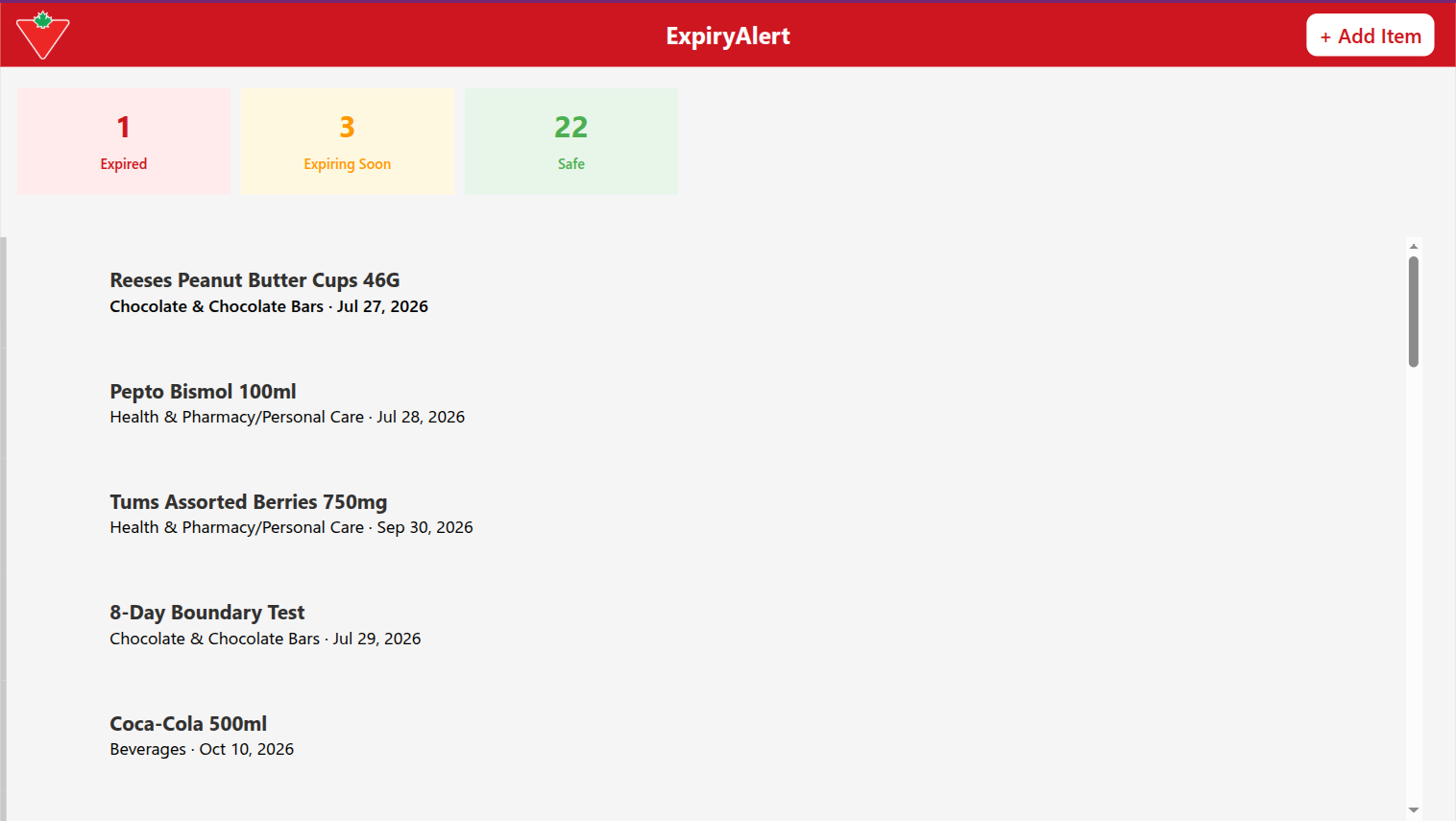
ExpiryAlert dashboard showing expired, expiring soon, and safe item counts with a color-coded inventory list

ExpiryAlert

A Power Platform system that replaces manual shelf-checking with automated expiry tracking, daily status recalculation, and a weekly digest email.

Role

Solo Build, End to End

Tech Stack

Power Apps, Power Automate, Dataverse

Duration

1 Sprint

Year

2026

The Challenge

What the Store Was Struggling With

Manual expiry tracking in a small convenience store is reactive by nature. Staff have to remember to check shelves, there is no early-warning system for what is about to expire, and by the time something is noticed it is often already past the point where it can be returned for vendor credit. The result is wasted stock, missed credit opportunities, and no reliable record of what happened when.

  • Expiry checks depended on staff remembering to walk the shelves

  • No early-warning system for items approaching their expiry date

  • Vendor credit windows missed because problems surfaced too late

  • No reliable record of what expired, when, or what action was taken

The Solution

Automated Expiry Tracking on Power Platform

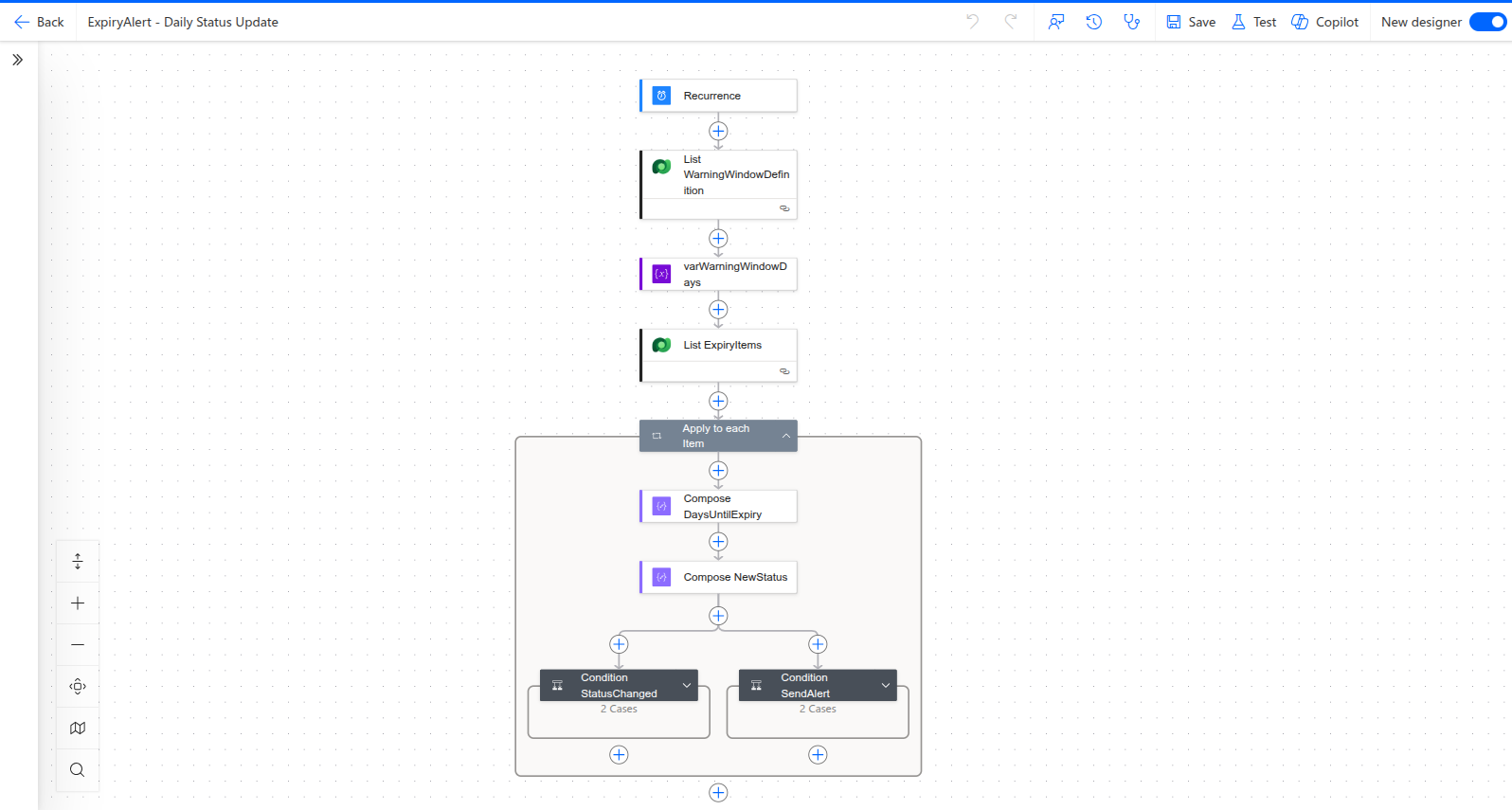
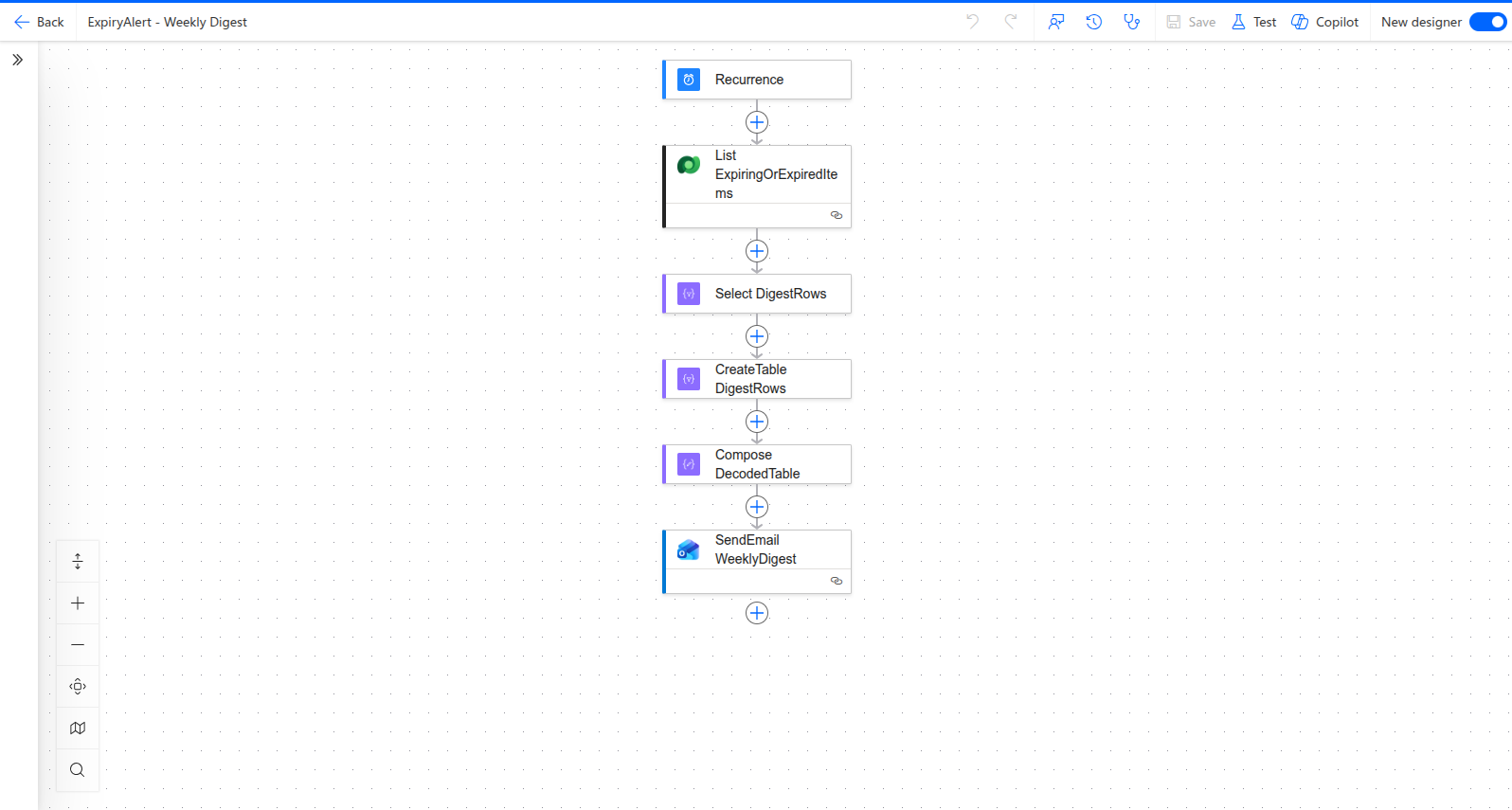
ExpiryAlert is a Power Apps canvas app backed by a Microsoft Dataverse table, with two Power Automate flows doing the ongoing work behind the scenes: one recalculates every item's status daily and sends notifications when something changes meaningfully, and one sends a weekly digest email summarizing what is expiring or already expired.

Staff get a simple app for adding, editing, and reviewing inventory. Management gets automated visibility without having to open the app at all.

The Dashboard

What It Looks Like in Action

The main view surfaces expired, expiring soon, and safe counts at a glance, with a color-coded inventory list so staff can see where attention is needed immediately.

ExpiryAlert dashboard showing expired, expiring soon, and safe item counts with a color-coded inventory list

The Approach

How It Was Built

01

Schema First

Designed the Dataverse table structure for items, categories, expiry dates, and status before writing any app screens.

02

Canvas App Build

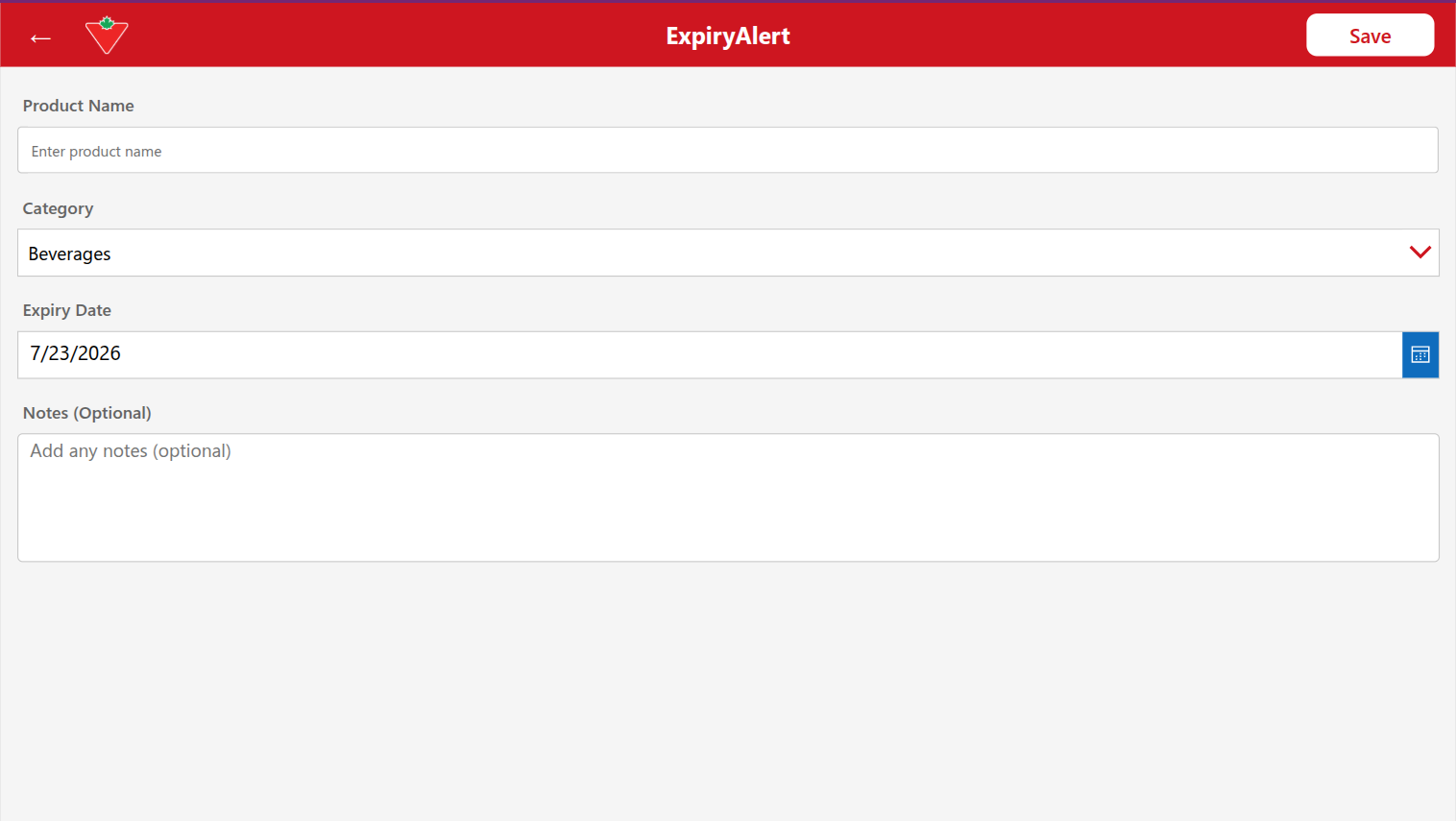
Built the CRUD screens: dashboard, add item, item detail, and edit item.

03

Automation Layer

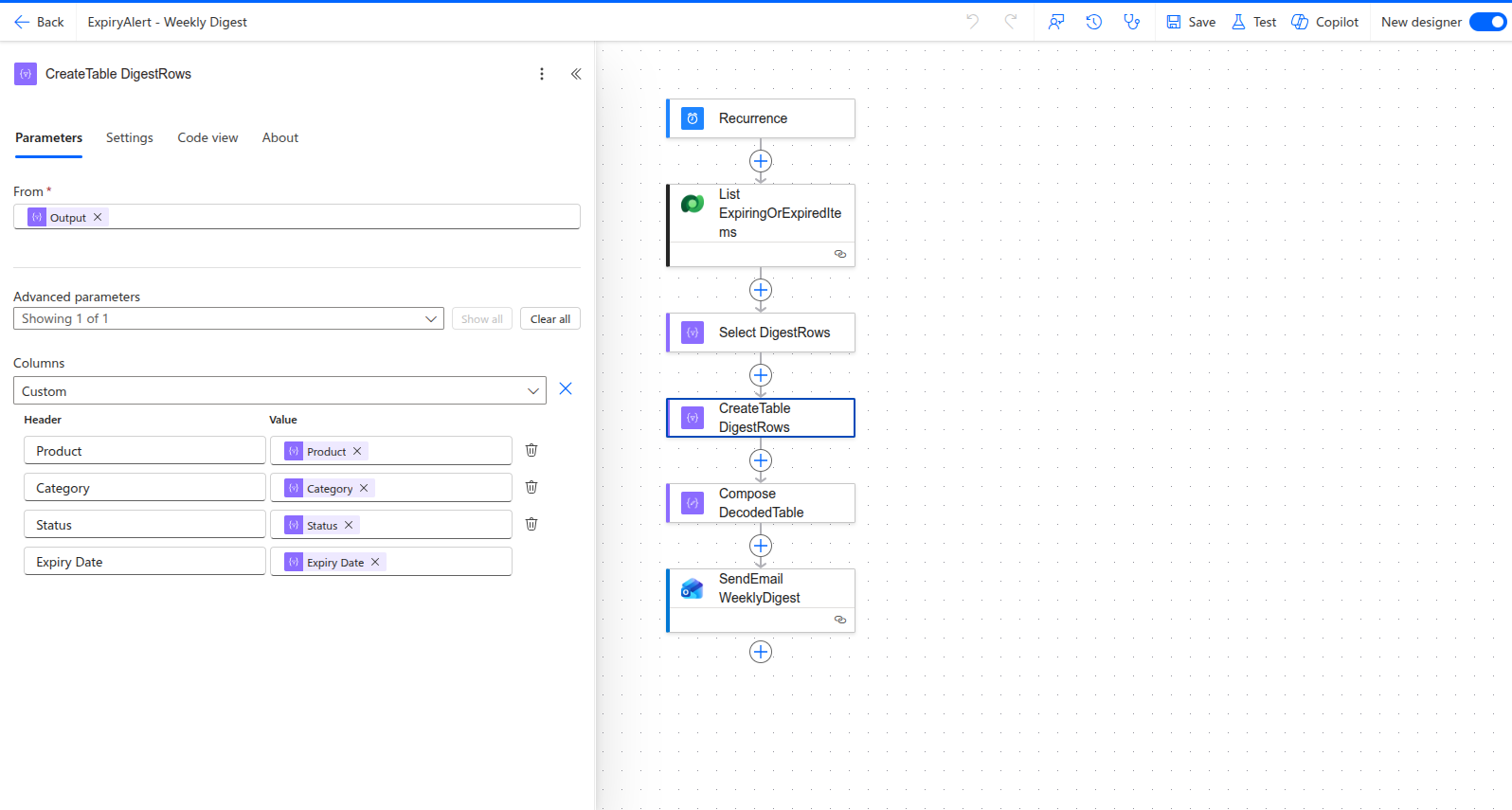
Built the Daily Status Update flow and the Weekly Digest flow, including the logic for deriving status changes and formatting the digest email.

04

UAT and Hardening

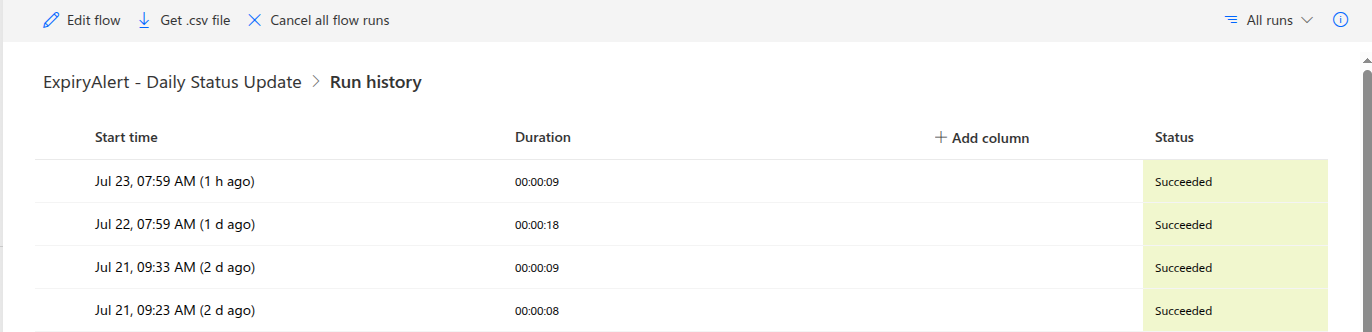
Ran a formal 9-test-case UAT pass, found and fixed real bugs, and verified both flows on genuine unattended scheduled runs, not just manual test triggers.

Engineering Depth

Real Bugs Found and Fixed

These were caught during UAT before anyone in the store ran into them. Each one had a clear root cause and a targeted fix.

Form Fields Carrying Over Between Entries

After saving a new item and tapping "Add+" again, the form showed the previous item's category, notes, expiry date, and product name instead of a blank form. Standalone controls outside a Form wrapper only evaluate their default value once, at creation, not on re-navigation. Fixed by adding explicit reset calls to the Add+ button so every field clears properly.

Silent CSV Import Failures

A bulk import of 21 products only succeeded for 18, with no visible error. The cause turned out to be a trailing space in one Dataverse category label, left over from initial setup, invisible in the UI but enough to break exact-text matching against clean import data. Removed the stray space and the remaining rows imported cleanly.

Back Button That Did Not Actually Go Back

Every screen's back arrow was hardcoded to jump to the dashboard, so editing an item and tapping back skipped straight past that item's own detail screen. The icon promised "previous screen" but the code did "home." Fixed by using Power Apps' built-in back navigation for genuine previous-screen behavior, and adding a separate, honestly labeled home link on the logo itself.

What Was Built

What the Solution Included

Canvas App CRUD Screens

Dashboard, Add Item, Item Detail, and Edit Item screens for day-to-day inventory management.

Daily Status Update Flow

Recalculates every item's status and flags meaningful changes automatically each day.

Weekly Digest Flow

Automated Monday-morning summary email of what is expiring or already expired.

Dataverse Schema

Structured inventory data model built from scratch for items, categories, expiry dates, and status.

Blank Add Item form with product name, category, expiry date, and notes fields
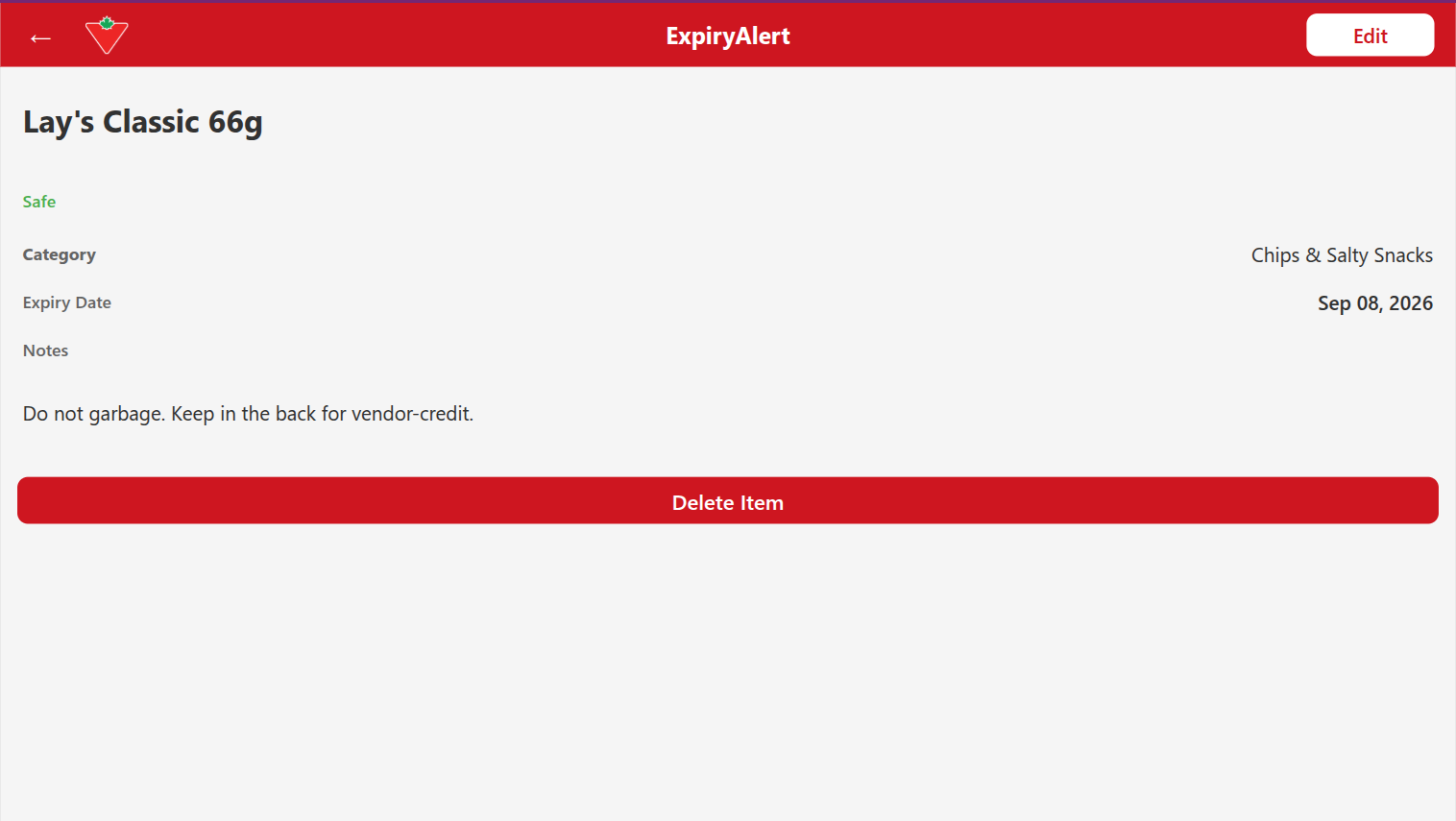
Item detail view showing a staff note about holding stock for vendor credit
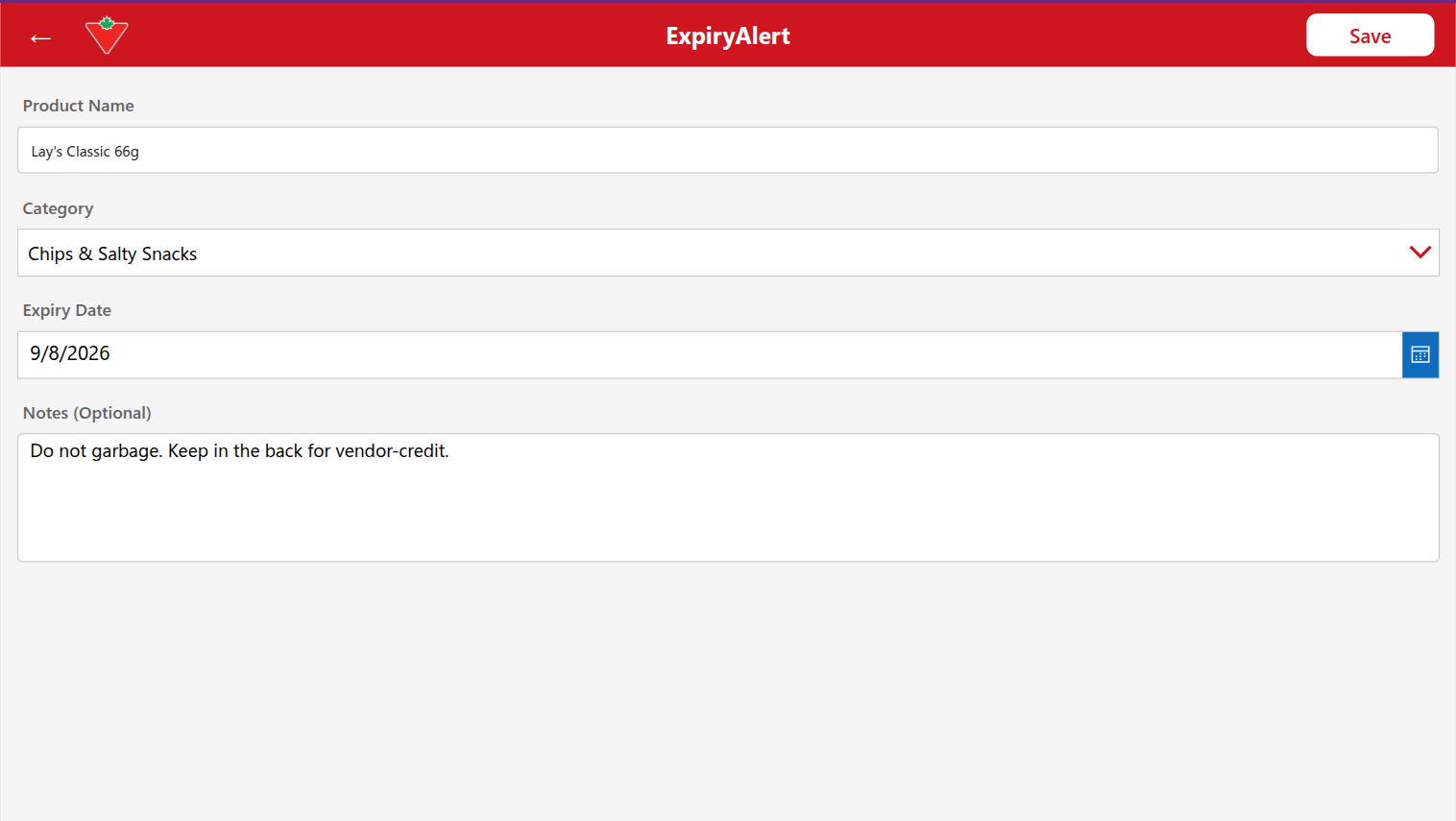
Edit Item form pre-filled with existing product data
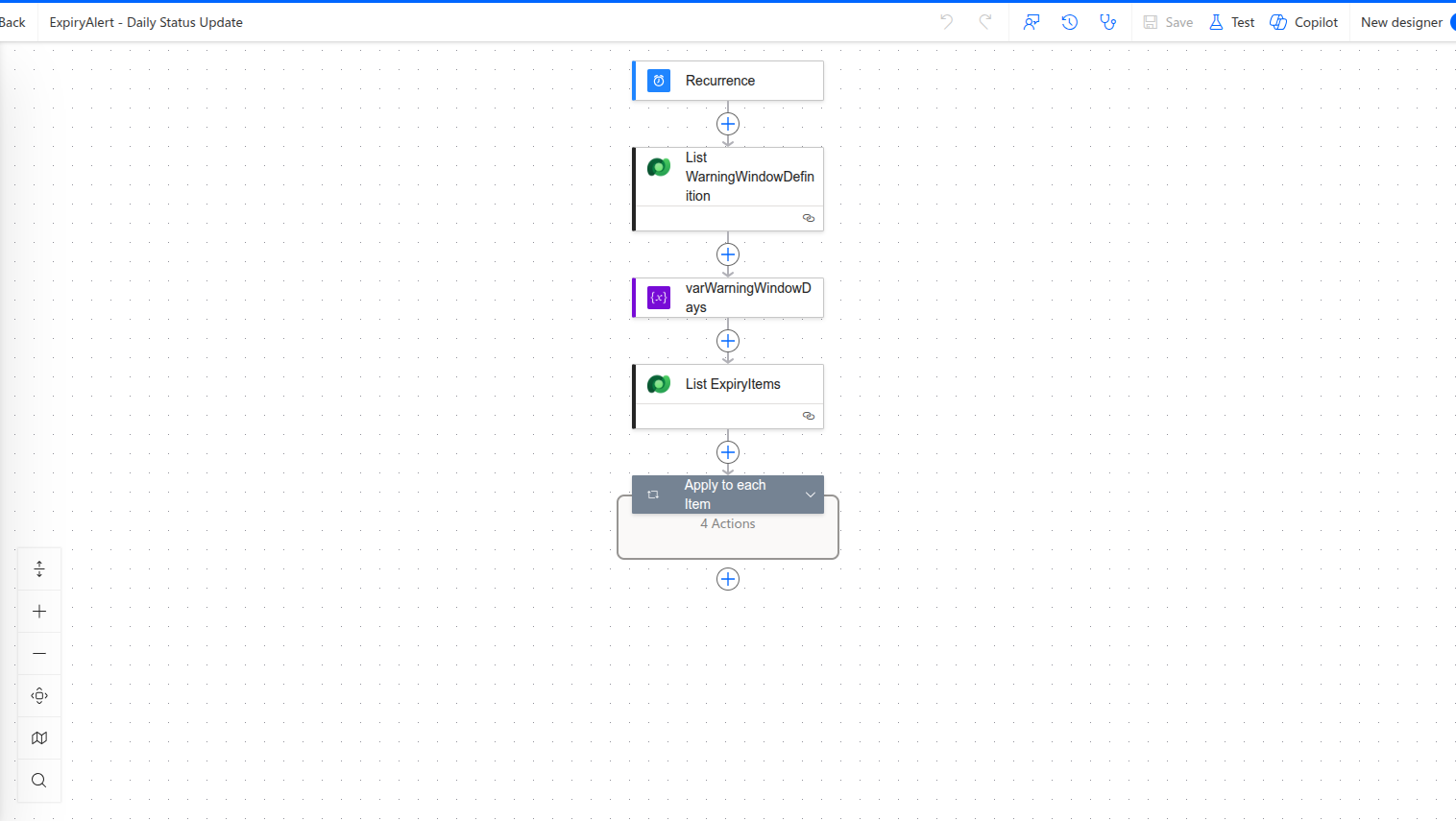
Daily Status Update flow overview in Power Automate
Expanded Daily Status Update logic showing days-until-expiry calculation and status conditions
Daily flow run history showing successful scheduled runs
Weekly Digest flow overview in Power Automate
Weekly Digest flow showing table creation step for the email
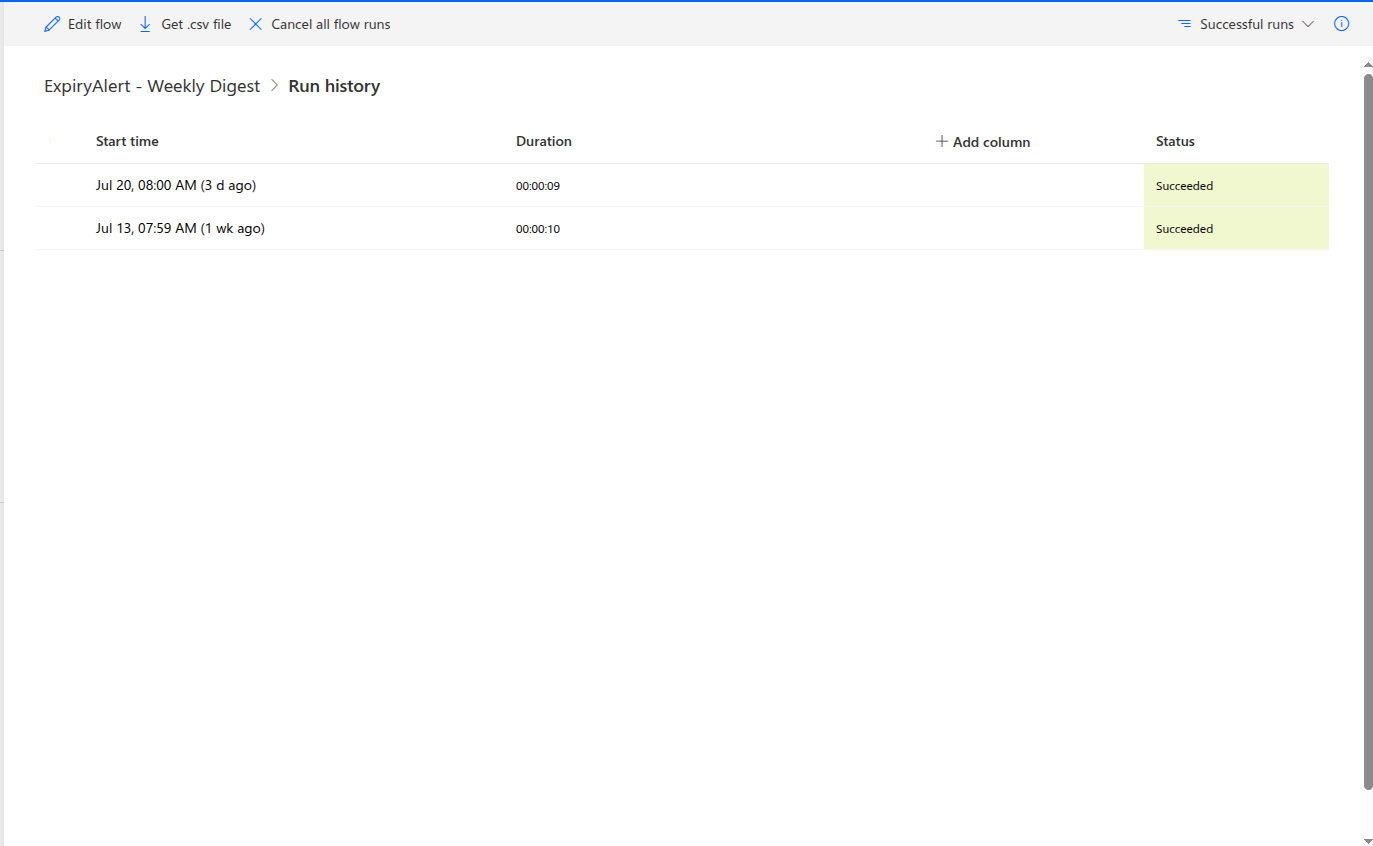
Weekly Digest flow run history showing two consecutive successful scheduled runs
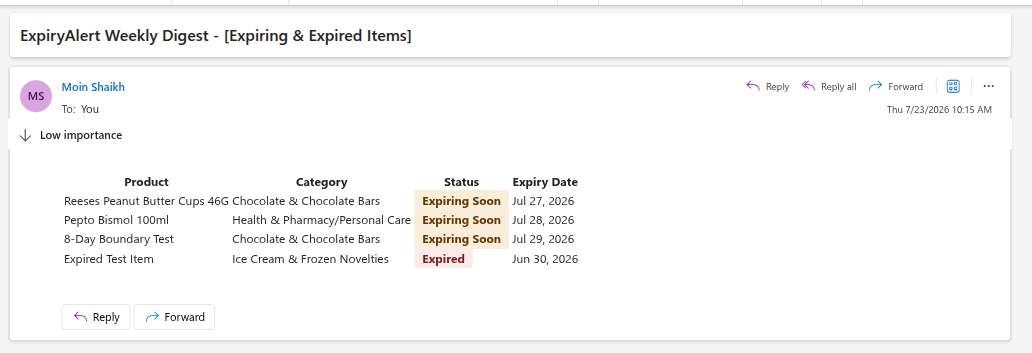
Weekly Digest email listing expiring and expired items by product, category, status, and date

My Contribution

My Role in This Project

Solo build, end to end: schema design, canvas app development, both automation flows, and the full UAT cycle including bug triage and fixes.

  • Dataverse schema design and setup

  • Canvas app development across all CRUD screens

  • Daily Status Update and Weekly Digest flow builds

  • Formal UAT test case design and execution

  • Bug triage, root-cause analysis, and fixes

  • Scheduled-flow reliability verification on real unattended runs

Tools and Stack

App Platform: Power Apps (Canvas Apps)
Automation: Power Automate
Data Layer: Microsoft Dataverse
Project Management: Azure DevOps (Scrum)
Platform: Power Platform
Quality: UAT / QA Process Design

The Impact

Outcomes and Results

Full CRUD App Shipped

Complete inventory app built and in active use for day-to-day expiry tracking.

Flows Verified on Real Schedules

Both automated flows confirmed on genuine unattended scheduled runs, not just manual tests.

Formal UAT Completed

9-test-case UAT log completed: 7 pass, 2 fail-then-fixed with documented root causes.

Delivered Ahead of Schedule

Sprint finished 3 days ahead of a self-imposed target, despite finding and fixing 3 additional real bugs along the way.

Takeaway

Testing Properly Is the Point

The bugs found during UAT were not setbacks, they were the point of testing properly. Catching a silent import failure or a back button that lied about what it did before a store manager ever ran into it is what separates a working tool from a demo. This was a small, real deployment, and it holds up under real use.

Work Together

Have a Similar Operational Headache?

If your team is still tracking expiry dates on paper or relying on someone remembering to check shelves, there is a better way. Let's talk about what an automated tracking system could look like for your operations.

Book A Call