Power BI Dashboard for Retail PoS – Enhancing Inventory Visibility for Retail Businesses
Retail operations rely heavily on accurate, real-time inventory insights. This Power BI dashboard was developed for a mid-sized retail client to help them monitor stock levels, identify low-stock risks, and track item movements across multiple store locations.
The goal was to transform their manual spreadsheet-driven reporting into a live, automated, and decision-ready analytics experience, accessible on desktop and tablets across all store branches.
The Challange
The client used a traditional PoS system with limited reporting features. Store managers had to manually export data and compile spreadsheets to understand inventory health—often leading to delayed reordering, blind spots around low or out-of-stock items, no visibility on stock transfers between stores, and no centralized performance metrics.
They needed a single source of truth that could handle real-time monitoring, stock movements, and trend insights across all store locations.
The Approach
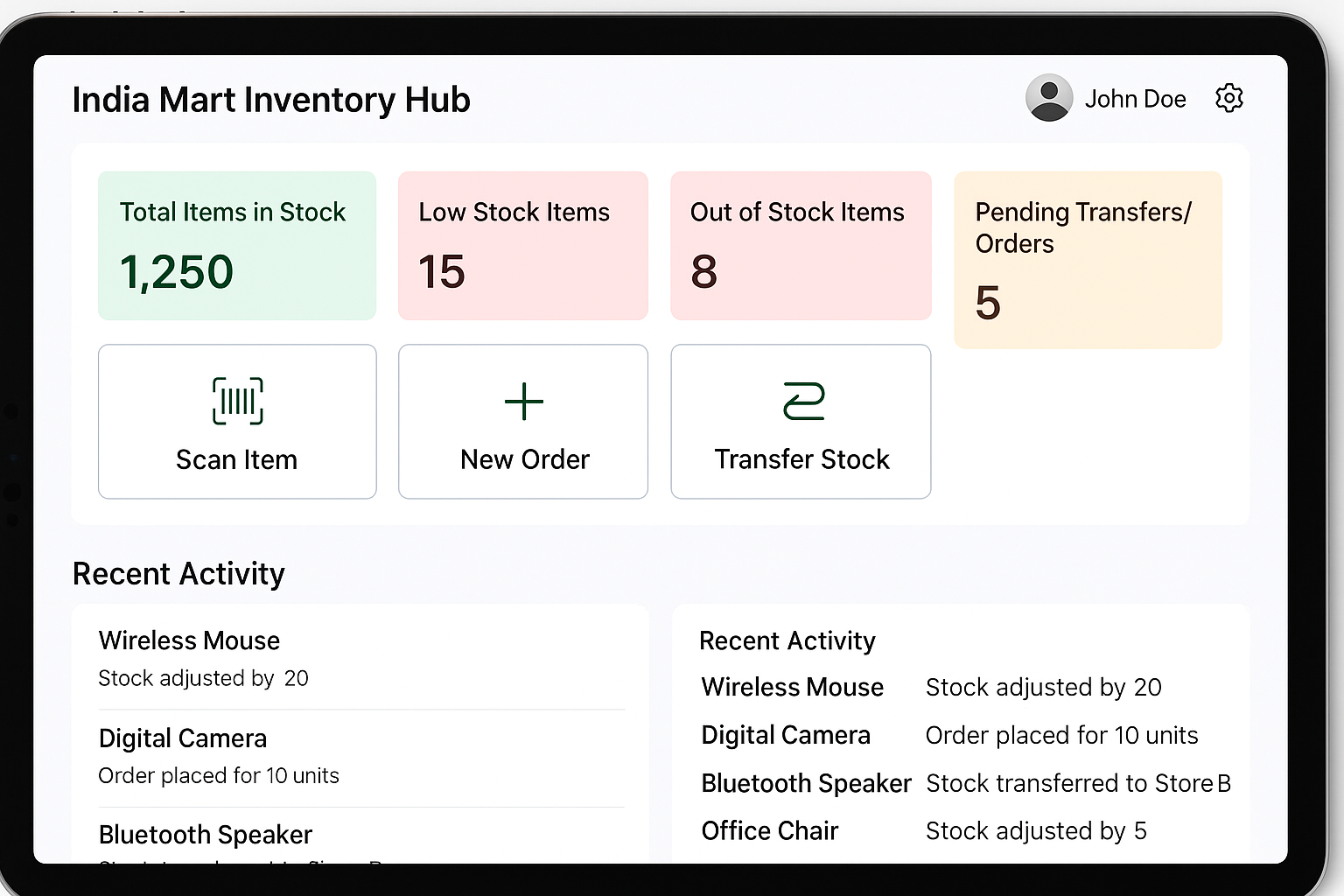
I developed a fully interactive Power BI dashboard designed around the realities of retail workflows and fast decision-making.
Key features include:
-
A real-time overview of stock levels and low-stock/out-of-stock alerts
-
Simple navigation with big, touch-friendly sections for scanning items, creating orders, and transferring stock
-
A clean activity log showing recent adjustments, orders, and transfers
-
An automated refresh pipeline for up-to-date PoS and inventory data
-
A layout designed to work smoothly on in-store tablets
Results
The new dashboard significantly improved inventory visibility and operational clarity for the client.
Managers now have:
-
Immediate insight into low-stock and out-of-stock items
-
Faster decision-making during ordering and transfers
-
Clear visibility of recent stock activity
-
A single source of truth for all store locations
-
A tablet-friendly interface that staff can use on the floor
The retailer now uses this dymanic dashboard to monitor inventory levels and make informed decisions for their retail operations.